 Player Nest Portal
Manage your apps & channels
from anywhere
Activate devices, add M3U and Xtream playlists, preview live channels, and sync everything to your Player Nest app on phone, tablet, and TV.
Simple pricing
Choose 1 device for $12.99/month or up to 5 linked devices for $29.99/month after a 7-day free trial. IPTV content is not included.
Playlist Management
Add M3U/M3U8 or Xtream Codes playlists remotely. Changes sync to the app with one tap.
Channel Preview
Browse live channels from your playlists before syncing. Verify credentials and content instantly.
App preview
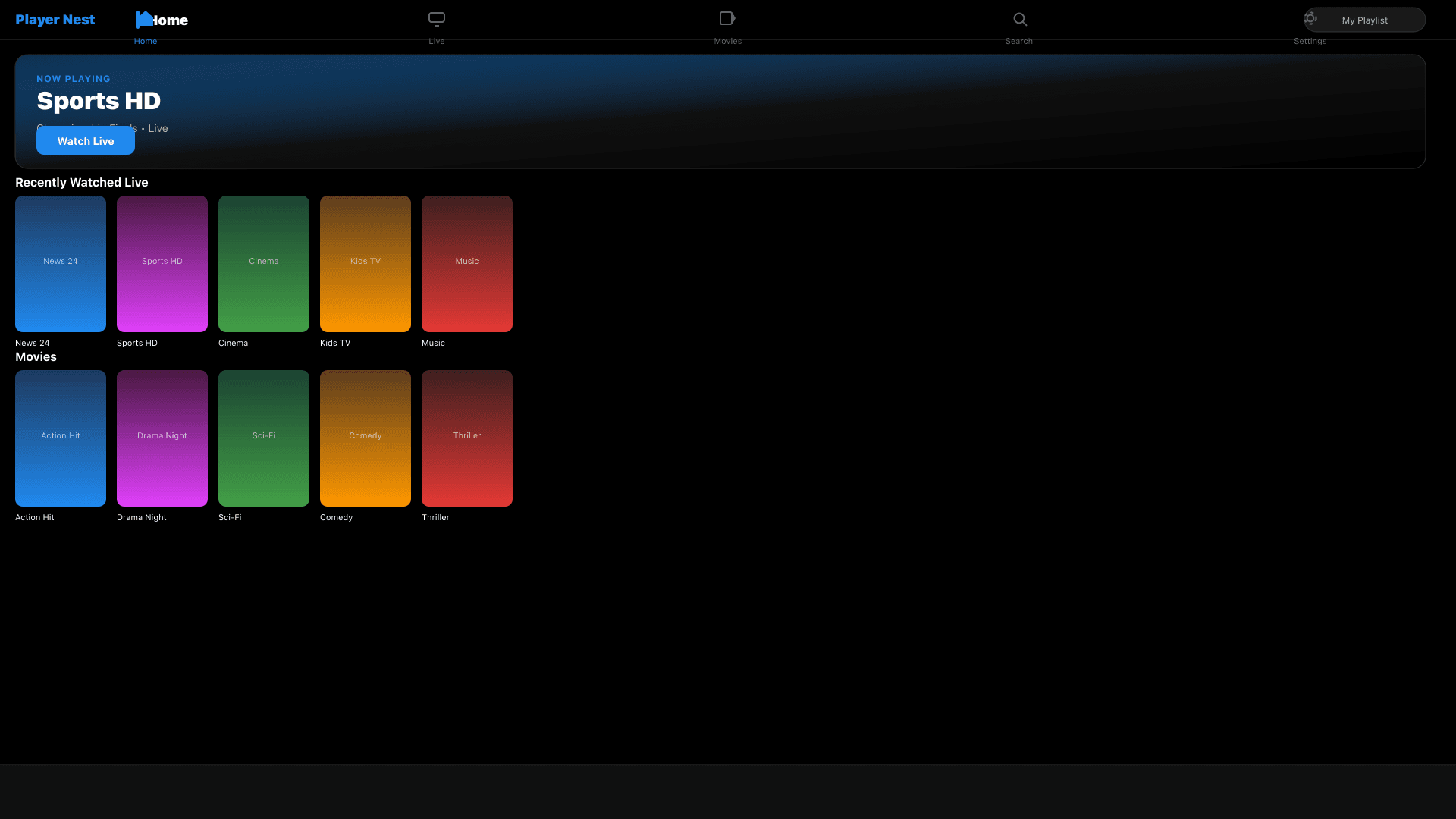
Built for phone, tablet, and TV
Landscape layouts, live TV grids, movies, and a full-screen player — the same experience across every screen in your home.
Gallery
Every screen, one portal
Tap any screenshot to view it full size.
How it works
- 1Open Player Nest on your TV, phone, or tablet → Settings → Device.
- 2Note your Device ID and Device Key (shown on screen).
- 3On this website, go to Login and enter both credentials.
- 4Add M3U or Xtream playlists in the dashboard.
- 5On the app, tap Sync from Portal to load everything.